How to use Custom AI Writer
The Custom AI Writer allows you to get AI-generated content that is customized to your brand.
Video Guide
Text Guide
Step 1: Create Your Custom AI Writer
- Navigate to "Content" at the top navigation bar in your Konvart dashboard
- Click on "Custom AI Writer" at the side navigation bar within the Content section
If this is your first time with the Custom AI Writer, you should see a view like this:
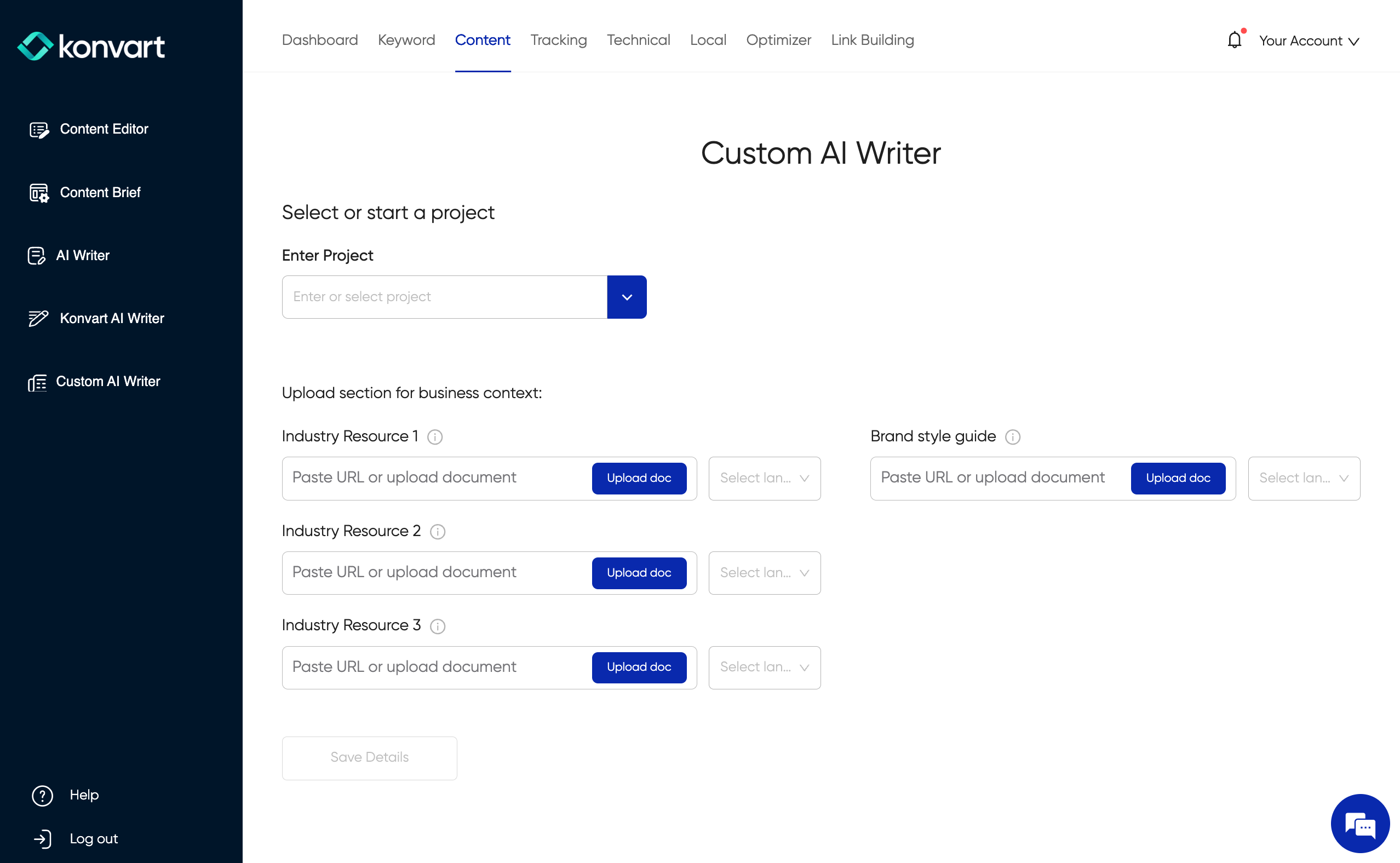
If you have created a Custom AI Writer previously, and you want to create a new one for another project, click on the "Custom AI" dropdown as seen in the screenshot below, and then click on "Create new custom AI"
Then, upload at least one industry resource and your brand style guide. Both documents should be in word format. An industry resource is a document that provides details relevant to your industry. For example, if you are in the legal space, a breakdown of the law would suffice. If some parts of tech, a whitepaper would work.
After uploading the documents, click on "Save Details". It will take a few minutes to customize your Custom AI after this is done.
Step 2: Search
Once your custom AI writer is ready, you are ready to write content with it. You can go back to "Custom AI" by clicking on it on the side navigation. Then:
- Enter your keyword
- Choose a location and language
- Select your Custom AI Writer
- Click on "Generate Content"
Step 3: Choose Competitors
Konvart presents the top 10 ranking competitors. You can choose up to three for in-depth analysis.
Step 4: Select Headings
Konvart would review the chosen competitors as well as keywords in the SERP (e.g. PAAs and related searches) to provide a list of headings. Select those you prefer. You can also add headings from the People Also Ask results (FAQs).
Give it a few minutes to analyze the results
Step 5: Set Content Instructions for Your Article
Add any additional information
Step 6: Wait for Your Content
Konvart will review the SERP, analyze competitors' use of headings, paragraphs, NLPs, etc, and take your provided headings and write the article based on what is best for each section, and also based on the configuration of your custom AI writer. This process might take 2-10 minutes depending on how many headings selected. When it's done, you can edit the content, export it to your preferred format, and/or publish to your site.